
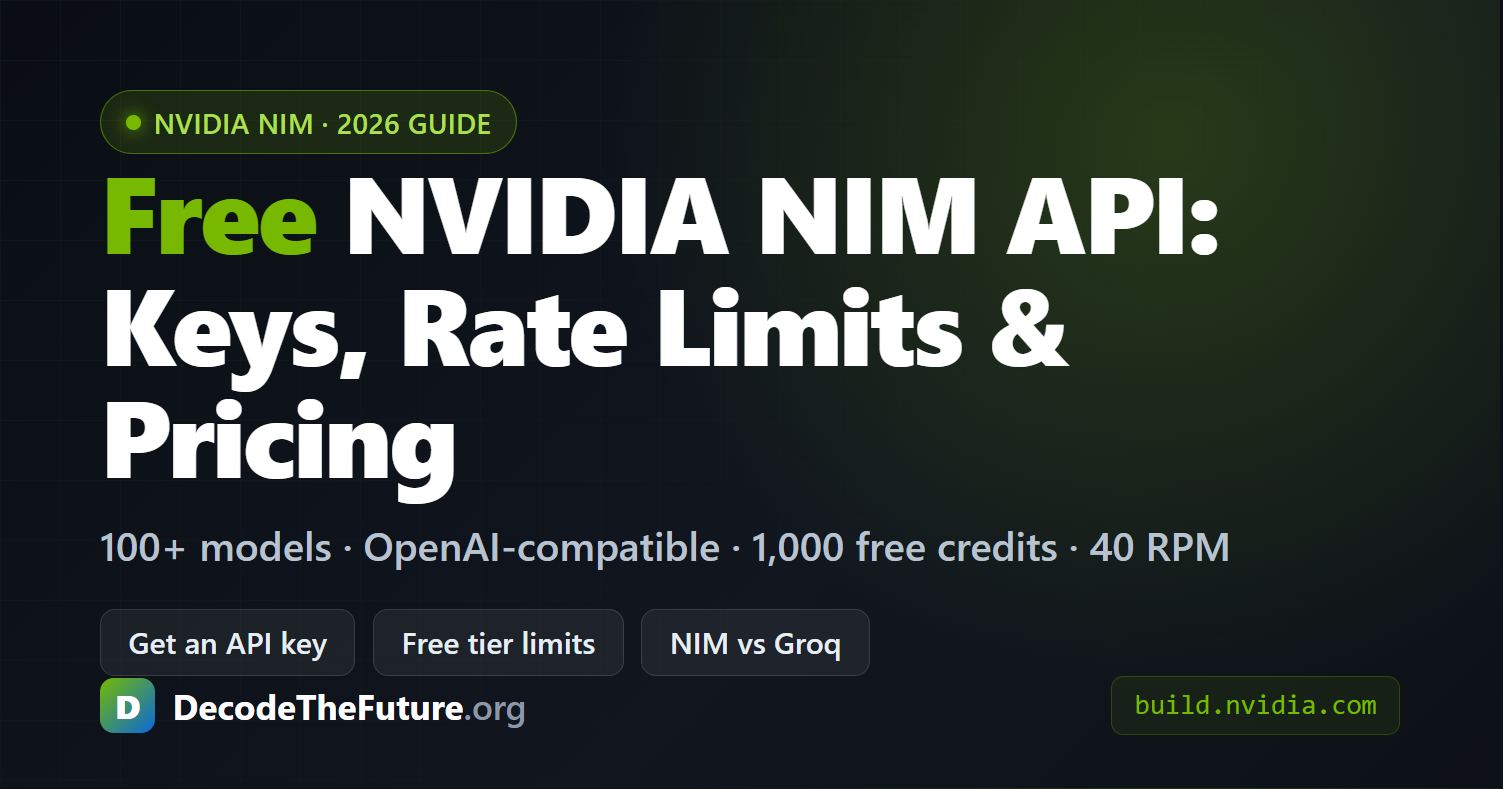

NVIDIA NIM (NVIDIA Inference Microservices) is a platform that gives developers free, OpenAI-compatible API access to over 100 AI models — including Nemotron, Kimi-K2.5, MiniMax-M2.5, and GLM-5 — hosted on DGX Cloud at build.nvidia.com. Beyond API endpoints, the platform offers GPU sandbox instances on Blackwell and Hopper hardware (up to 288 GiB VRAM on B300), pre-built Blueprints for agentic workflows, and the newly launched NemoClaw security stack for safe autonomous agent execution. Developers get 1,000 free inference credits on signup with a rate limit of 40 requests per minute — enough for meaningful prototyping before committing to self-hosted deployment.
Sign up at build.nvidia.com with the free NVIDIA Developer Program, open any model, and click Get API Key to generate an nvapi- key. You get 1,000 inference credits on signup (up to 5,000 on request) and a 40 requests-per-minute rate limit — no credit card and no GPU required. Because the endpoints are OpenAI-compatible, you only swap base_url and api_key. Full steps, the free-tier limit table and a working Python call are below. For the complete pricing and rate-limit breakdown — including how to fix 429 errors, worked cost examples, and NIM vs OpenRouter, Ollama Cloud, Together & Fireworks — see our dedicated NVIDIA NIM API pricing & limits guide.
How to Get a Free NVIDIA NIM API Key
To get a free NVIDIA NIM API key, create a free NVIDIA Developer Program account, open any model in the catalog, and click Get API Key — you receive an nvapi- key with 1,000 inference credits and a 40 requests-per-minute limit, no credit card required. The full four steps:
- Sign up free at build.nvidia.com with an email or your existing NVIDIA account — the Developer Program is free and needs no credit card.
- Open any model (e.g. Nemotron, Llama 3.3, DeepSeek-R1) from the API catalog and look for the code panel on the right.
- Click Get API Key to generate a key prefixed nvapi-. Copy it — it is shown once. New accounts start with 1,000 inference credits (request up to 5,000 from your profile).
- Call the endpoint at https://integrate.api.nvidia.com/v1 using the standard OpenAI library — see the working Python example below.
The free tier starts at 40 requests per minute; if you hit that ceiling, NVIDIA lets you apply from your account dashboard for an upgrade to roughly 200 RPM for free-tier developers. For a screenshot-level walkthrough of generating the key and making your first call, see how to get a free NVIDIA API key. For a full pricing and rate-limit breakdown — including 429-error fixes and cost examples — see our NVIDIA NIM API pricing & limits guide.
What Is NVIDIA NIM?
NVIDIA NIM stands for NVIDIA Inference Microservices — a set of containerized, GPU-accelerated inference services that let you run AI models either through NVIDIA-hosted cloud endpoints or self-hosted Docker containers on your own hardware. The core idea is straightforward: NVIDIA wraps each supported model in a Docker container that bundles the model weights, an optimized inference engine (TensorRT-LLM, vLLM, or SGLang), and an OpenAI-compatible REST API. You send a standard /v1/chat/completions request, and NIM handles GPU scheduling, batching, quantization, and response streaming.
This is not another model hub. The difference between NIM and platforms like Hugging Face is operational: NIM containers are pre-optimized for specific NVIDIA GPU architectures, meaning you get near-peak throughput without manually configuring inference engines. NVIDIA’s own benchmarks show that a Llama 3.1 8B model served through NIM on a single H100 SXM achieves approximately 1,201 tokens/s throughput (FP8) — roughly 2× higher than running the same model without NIM optimizations (613 tokens/s).
The platform lives at build.nvidia.com and is structured around four pillars: free inference API endpoints (for prototyping), downloadable NIM containers (for self-hosting), Blueprints (reference architectures for RAG pipelines, agentic AI workflows, and multimodal applications), and GPU sandbox instances (bare-metal Blackwell and Hopper hardware accessible from the browser).
What Models Are Available on build.nvidia.com?
The API catalog on build.nvidia.com hosts well over 100 models spanning reasoning, vision, retrieval, speech, biology, and simulation. Unlike closed platforms that only serve proprietary models, NVIDIA acts as an infrastructure layer — most models on NIM are open-weight, contributed by the community or partner organizations, then optimized by NVIDIA’s inference runtime. Here are the flagship models available as of mid-2026:
| Model | Provider | Parameters | Architecture | Primary Use Case |
|---|---|---|---|---|
| Kimi-K2.5 | Moonshot AI | ~1T (MoE) | Mixture-of-Experts | Multimodal (video + image) |
| Nemotron-3-Super-120B-A12B | NVIDIA | 120B (12B active) | Hybrid Mamba-Transformer MoE | Agentic reasoning, coding, 1M context |
| MiniMax-M2.5 | MiniMax AI | 230B | Dense Transformer | Coding, reasoning, office tasks |
| GLM-5 | Z.AI (Zhipu) | 744B (MoE) | MoE | Complex reasoning, agentic |
| Mistral-Small-4-119B | Mistral AI | 119B | Dense Transformer | General chat, multilingual |
| DeepSeek-R1 | DeepSeek | 671B (MoE) | MoE | Reasoning, math, code |
| Llama 3.3 70B | Meta | 70B | Dense Transformer | General-purpose chat + code |
The catalog also includes specialized models for speech synthesis (Riva), protein folding (BioNeMo), weather forecasting (FourCastNet), image generation, embedding/retrieval, and safety guardrails. Every model exposes the same OpenAI-compatible /v1/chat/completions endpoint, so switching between models requires changing exactly one line of code — the model name string.
How to Use NVIDIA NIM API for Free
Setting up NIM takes under five minutes. You sign up for the free NVIDIA Developer Program at build.nvidia.com, generate an API key (prefixed nvapi-), and start calling endpoints. The free tier gives you 1,000 inference credits on signup. You can request up to 5,000 total credits. The rate limit is 40 requests per minute.
| Free-tier limit (2026) | What you get |
|---|---|
| Signup credits | 1,000 inference credits |
| Max credits on request | Up to 5,000 total |
| Rate limit | 40 requests per minute |
| API key prefix | nvapi- |
| Endpoint | https://integrate.api.nvidia.com/v1 (OpenAI-compatible) |
| Credit card | Not required for the free Developer Program |
| Self-host (research & development) | Free license, up to 16 GPUs |
| Self-host (production) | NVIDIA AI Enterprise license (90-day free trial) |
Because NIM endpoints are OpenAI-compatible, you use the standard openai Python library — you just change the base_url and api_key. Here is a working example that calls NVIDIA’s Nemotron model:
from openai import OpenAI

client = OpenAI(
    base_url="https://integrate.api.nvidia.com/v1",
    api_key="nvapi-YOUR_KEY_HERE"  # get yours at build.nvidia.com
)

response = client.chat.completions.create(
    model="nvidia/nemotron-3-super-120b-a12b",
    messages=[
        {"role": "system", "content": "You are a helpful AI assistant."},
        {"role": "user", "content": "Explain mixture-of-experts in 3 sentences."}
    ],
    temperature=0.6,
    max_tokens=512
)

print(response.choices[0].message.content)
That is the entire integration. No NVIDIA-specific SDK, no custom auth flow, no container setup. Any codebase that already works with OpenAI’s API can point to NIM by swapping two variables. This matters for teams evaluating multiple LLM providers — you can benchmark NIM-hosted models against OpenAI, Anthropic, or Groq without rewriting application logic.
For production workloads where you need control over infrastructure and data residency, NVIDIA provides downloadable NIM containers via the NGC registry. Self-hosted deployment requires an NVIDIA GPU (H100/H200/B200/B300 or RTX for lighter models), Docker, and an NGC API key. The free Developer Program license allows self-hosting on up to 16 GPUs for research and development. Production use requires an NVIDIA AI Enterprise license (90-day free trial available).
How NVIDIA NIM Architecture Works
The architecture above is the key advantage: NIM abstracts GPU scheduling, model quantization, and batching behind a standardized REST endpoint. You do not manage CUDA versions, TensorRT compilation, or container orchestration unless you explicitly choose self-hosted deployment. For prototyping, the hosted API is identical in interface to what you would run locally — so code written during the free-tier phase works without modification when you move to self-hosted NIM containers.
NVIDIA GPU Instances: B300 vs B200 vs H200
Beyond the API endpoints, build.nvidia.com offers GPU sandbox instances for developers who need direct hardware access — whether for benchmarking inference engines, testing custom LoRA fine-tuned models, or profiling performance with tools like ncu and Nsight Systems. These are bare-metal instances (not shared VMs) running Ubuntu 24.04 with the latest CUDA toolkit pre-installed.
| GPU | Architecture | VRAM | Memory BW | FP8 (dense) | NVLink | Best For |
|---|---|---|---|---|---|---|
| B300 | Blackwell Ultra | 288 GB HBM3e | 8 TB/s | ~7,000 TFLOPS | 1.8 TB/s (NVLink 5) | 130B+ models unsharded, max throughput |
| B200 | Blackwell | 192 GB HBM3e | 8 TB/s | ~4,500 TFLOPS | 1.8 TB/s (NVLink 5) | 70B models, balanced cost/perf |
| H200 | Hopper | 141 GB HBM3e | 4.8 TB/s | ~1,979 TFLOPS | 0.9 TB/s (NVLink 4) | Mature SW support, proven stability |
| RTX PRO 6000 | Ada Lovelace | 96 GB GDDR7 | ~1.5 TB/s | ~680 TFLOPS | N/A | Workstation inference, lighter models |
The practical takeaway: a single B300 with 288 GB can hold a full 70B-parameter model in FP16 with over 100 GB to spare for KV cache and batch processing. On the H200, the same 70B model requires quantization (FP8 or INT4) or sharding across two GPUs for large batch sizes. The B300’s FP8 throughput is roughly 3.5× the H200’s, which translates directly to lower cost-per-token at scale.
A key caveat: Blackwell software support is still maturing. As of April 2026, PyTorch stable builds require workarounds for B300’s SM103 compute capability (CUDA 13.0+ and a patched Triton compiler). If you need battle-tested inference today with zero compatibility risk, the H200 remains the safe choice. If you are benchmarking for future deployment, B300 gives you the most headroom.
What Is NemoClaw? Agent Security for the Enterprise
NVIDIA launched NemoClaw, an open-source security stack for the OpenClaw agent platform. Jensen Huang framed it as the missing infrastructure layer that makes autonomous AI agents viable for regulated industries. NemoClaw is in early alpha preview — not production-ready, but already installable via a single command.
NemoClaw solves a specific problem: autonomous agents (OpenClaw „claws”) need to read files, browse the web, execute code, and call APIs — but without guardrails, they can leak sensitive data, compromise host systems, or violate compliance requirements. Before NemoClaw, companies interested in always-on agents had no standardized way to define what an agent can access, execute, and report.
The stack works by wrapping the agent in an isolated sandbox powered by NVIDIA OpenShell, a runtime that enforces security at the kernel level rather than inside the agent’s context (where it could be bypassed via prompt injection). The key components are:
Kernel-level sandboxing — Each agent runs in its own isolated environment using Landlock, seccomp, and network namespaces. The agent literally cannot reach the host filesystem or network outside its defined permissions.
Rust-based policy engine — Every outbound connection is intercepted and validated against declarative YAML rules. You define per-binary, per-host, per-HTTP-method egress control. Every allow/deny decision creates an audit trail.
Privacy router — This is the most interesting component for enterprises. The privacy router keeps sensitive context on-device by routing requests to local models (like Nemotron) for queries involving internal data, while only sending anonymized or non-sensitive requests to cloud-based frontier models. This is a practical implementation of data residency controls for agentic workflows.
Credential injection — API keys are kept entirely off the sandbox filesystem and injected only at inference time. This prevents agent-initiated exfiltration of credentials — a real attack vector as agents become more capable.
# Install NemoClaw (early preview — alpha)
curl -fsSL https://www.nvidia.com/nemoclaw.sh | bash

# Launch a sandboxed agent instance
nemoclaw my-assistant connect

# Check sandbox status
nemoclaw my-assistant status

# Follow agent logs
nemoclaw my-assistant logs --follow
Why this matters in 2026: as AI agents move from demos to production, the bottleneck is no longer capability — it is trust. Legal, compliance, and procurement teams need verifiable guarantees about what an agent can and cannot do. NemoClaw is NVIDIA’s answer: out-of-process enforcement that cannot be bypassed by the agent itself, with full audit trails for regulated industries. Notably, NemoClaw is hardware-agnostic — it runs on AMD, Intel, and NVIDIA hardware — though inference performance is optimized for NVIDIA GPUs when using Nemotron models locally.
NVIDIA NIM vs Other Inference Platforms
NIM does not exist in a vacuum. Developers choosing an inference provider in 2026 face a crowded landscape. Here is how NIM compares to the most relevant alternatives — not as a marketing comparison, but as a practical decision framework based on what matters when you are actually shipping code:
| Criterion | NVIDIA NIM | Groq | Together.ai | HuggingFace Inference |
|---|---|---|---|---|
| Hardware | NVIDIA GPUs (H100/H200/B200/B300) | Custom LPU (ASIC) | NVIDIA GPUs | NVIDIA GPUs (shared) |
| Free tier | 1,000 credits, 40 RPM | 30 RPM, 1K req/day (70B) | Limited free credits | Free but cold starts 30s+ |
| Speed (Llama 70B) | ~300–500 tok/s (H200 FP8) | ~275–300 tok/s (LPU) | ~200–400 tok/s | Variable (shared infra) |
| Model catalog | 100+ (multi-domain) | ~15 open models | 100+ open models | Thousands (community) |
| Self-hosting | Yes (NIM containers) | No (cloud only) | No | Yes (Inference Endpoints) |
| Fine-tuning | Via NeMo toolkit | No | Yes (native) | Yes (AutoTrain) |
| Agent security | NemoClaw (OpenShell) | No | No | No |
| API standard | OpenAI-compatible | OpenAI-compatible | OpenAI-compatible | Custom + OpenAI |
When to Use What — An Honest Assessment
Use NIM when you need the full stack: prototyping on free API → testing on GPU sandbox → deploying self-hosted NIM containers in your own data center. NIM is the only platform that covers the entire lifecycle from experimentation to production-grade self-hosted deployment. It is also the only one with NemoClaw for agent security. If you are building for an enterprise that cares about data residency and compliance, NIM is the strongest bet.
Use Groq when latency is your primary constraint and your model needs are standard. Groq’s LPU hardware delivers deterministic, sub-100ms time-to-first-token that GPU-based platforms cannot match. The trade-off: a smaller model catalog, no self-hosting option, and no fine-tuning. Good for real-time chatbots, not for custom model deployment.
Use Together.ai when you want fine-tuning and inference on the same platform without managing infrastructure. Together.ai also has strong research culture (FlashAttention originated there). If you are a machine learning team that needs to iterate on model weights alongside serving, it is a compelling choice.
Run locally when your model fits in your GPU’s VRAM and you need zero-latency, zero-cost inference with full control. For 7B–13B models, a single RTX 4090 (24 GB) running llama.cpp or vLLM beats any cloud API on cost if you are running continuous inference. NIM containers actually help here too — you can pull the same optimized container to your local GPU.
Who Should Use NVIDIA Build?
Researchers and students — The free API tier with 1,000–5,000 credits is enough to prototype with models like DeepSeek-R1 or Nemotron-3-Super without any budget. GPU sandbox access lets you benchmark inference performance on Blackwell hardware that would cost $5–18/hr elsewhere.
Startup developers — The OpenAI-compatible API means you can build your entire application against NIM during prototyping, then switch to self-hosted NIM containers for production without code changes. Blueprints give you reference RAG and agent architectures that save weeks of integration work.
Enterprise AI teams — This is where NIM’s value proposition is strongest. The combination of NIM containers (data never leaves your infrastructure) + NemoClaw (agent security) + NVIDIA AI Enterprise license (SLA, vulnerability fixes, API stability guarantees) addresses the exact concerns that keep CISOs and compliance officers from approving AI deployments. The 90-day free trial of AI Enterprise lets teams validate the full stack before committing budget.
The platform is less useful if you exclusively need ultra-low-latency inference on a narrow set of models (Groq may be better), if you want to serve custom model architectures that are not Transformer-based (NIM is optimized for Transformer and MoE architectures), or if you need a platform that handles training end-to-end (NIM is inference-focused; use NeMo or external platforms for training).
Related Guides
Choosing an inference provider or scaling beyond the NIM free tier? These comparisons go deeper:
- How to Get a Free NVIDIA API Key — the full step-by-step to generate your nvapi- key, with a working first call.
- Best Inference APIs 2026 — how NIM stacks up against OpenRouter, Together, Fireworks, Groq and other providers on price, speed and rate limits.
- Best AI Agent Frameworks 2026 — the frameworks you would run on top of NIM-hosted models to build production agents.
- NVIDIA NIM API Pricing & Limits — the full cost breakdown, 429-error fixes and upgrade paths.
FAQ
nvapi- with 1,000 inference credits (up to 5,000 on request) and a 40 requests-per-minute rate limit — no credit card required. The key works with the standard OpenAI library by setting base_url="https://integrate.api.nvidia.com/v1".base_url="https://integrate.api.nvidia.com/v1" and your nvapi- key, and use the standard openai library. Streaming, function calling, and tool use all work.Bibliography
NVIDIA. (2026). NVIDIA NIM for Developers. NVIDIA Developer. https://developer.nvidia.com/nim
NVIDIA. (2026). Try NVIDIA NIM APIs — API Catalog. build.nvidia.com. https://build.nvidia.com/
NVIDIA. (2026). NVIDIA NIM Microservices for Accelerated AI Inference. NVIDIA. https://www.nvidia.com/en-us/ai-data-science/products/nim-microservices/
NVIDIA. (2026). Get Started with NVIDIA NIM for LLMs. NVIDIA Docs. https://docs.nvidia.com/nim/large-language-models/latest/getting-started.html
NVIDIA. (2026, March 16). NVIDIA Announces NemoClaw for the OpenClaw Community [Press release]. NVIDIA Newsroom. https://nvidianews.nvidia.com/news/nvidia-announces-nemoclaw
NVIDIA. (2026). NVIDIA NemoClaw Developer Guide. NVIDIA Docs. https://docs.nvidia.com/nemoclaw/latest/index.html
NVIDIA. (2026). NemoClaw [Open source repository]. GitHub. https://github.com/NVIDIA/NemoClaw
NVIDIA. (2026). General NIM FAQ. NVIDIA API Docs. https://docs.api.nvidia.com/nim/docs/product
NVIDIA. (2026). API Reference for NVIDIA NIM for LLMs. NVIDIA Docs. https://docs.nvidia.com/nim/large-language-models/latest/api-reference.html
Oswal, J. (2026, March). NVIDIA NemoClaw: Building a Security Fortress for Autonomous Agents. Medium. https://medium.com/@jiten.p.oswal/nvidia-nemoclaw-building-a-security-fortress-for-autonomous-agents-332cb4e37ce0
[…] 来源:NVIDIA Build | 详细教程 […]
[…] 来源:NVIDIA Build | 详细教程 […]
[…] 来源:NVIDIA build.nvidia.com | NVIDIA NIM 详解 […]
[…] Decode The Future – Nvidia NIM API explicada […]