

Last updated: April 2026 — published hours after launch
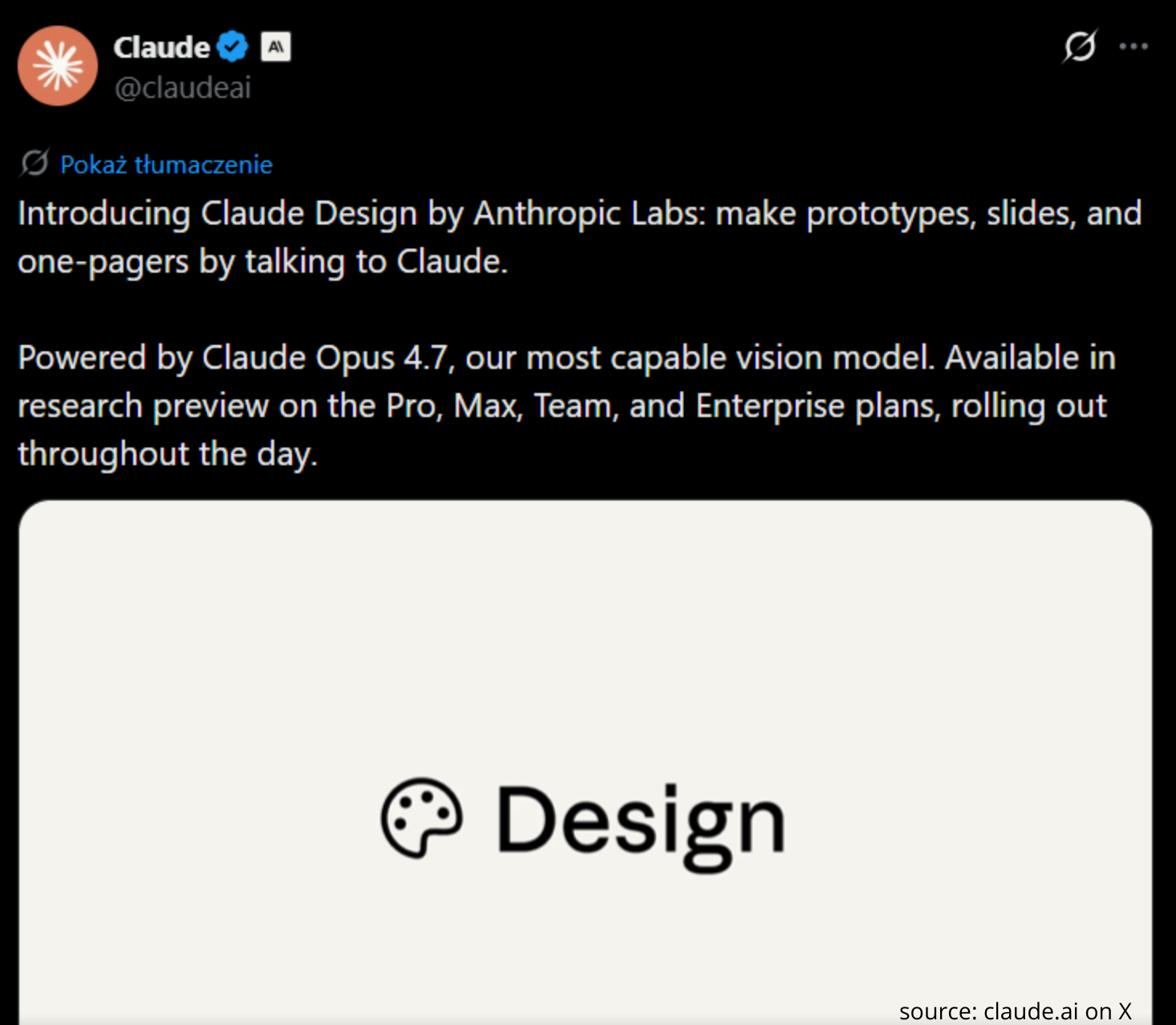
Claude Design is Anthropic’s new prompt-to-visual product launched on April 17, 2026, that turns text prompts into prototypes, slide decks, and one-pagers — powered by Claude Opus 4.7. It reads your codebase and existing design files to apply your company’s design system, exports to PDF, URL, PPTX, or Canva, and hands off to Claude Code for implementation. It’s available in research preview to Claude Pro, Max, Team and Enterprise subscribers at claude.ai/design. This is not a Figma replacement on day one — but it is the first AI product that closes the design → code → deploy loop end-to-end inside a single subscription.
What is Claude Design?
Claude Design is a new Anthropic product that generates visual artifacts — prototypes, slide decks, one-pagers, mobile app mockups — from natural-language prompts. It lives at claude.ai/design and ships as a research preview from Anthropic Labs, Anthropic’s experimental product team. The launch was announced on Friday, April 17, 2026, with availability rolling out gradually over the course of the day to Claude Pro, Max, Team, and Enterprise subscribers.
Under the hood, Claude Design runs on Claude Opus 4.7 — Anthropic’s flagship reasoning model, which processes images at three times the resolution of Opus 4.6. That resolution jump is the technical unlock: interfaces, slides, and generated documents finally render legibly inside the model’s visual reasoning loop, rather than degrading at small type sizes the way earlier Claude vision did.
How does Claude Design work?
The workflow is a loop, not a one-shot generation. You describe what you want, Claude Design generates it, you edit in natural language, it regenerates. The key inputs and outputs:
The loop itself is chat-style: you iterate on a generated prototype the same way you’d iterate on a Claude conversation. Anthropic’s launch example — “prototype a serene mobile meditation app with calming typography, subtle nature-inspired colors, and a clean layout” — produces an interactive mobile mockup you can keep refining with follow-up prompts.
Earlier Claude vision models struggled with interface-scale resolution: small typography, dense UI elements, and tightly-packed slides degraded into blur. Opus 4.7’s 3× image-resolution jump is what makes a design product viable on Claude for the first time — the model can now reason about pixel-level UI details, not just overall layout.
What can Claude Design build?
Anthropic’s own framing is that Claude Design is for “founders and product managers without a design background” — the wedge is people who don’t open Figma. The initial output categories:
- Prototypes — interactive mobile and web UI mockups, complete with navigation flows
- Slide decks — pitch decks, internal briefings, investor updates (exportable as PPTX)
- One-pagers — product spec sheets, launch announcements, feature marketing pages
- Document visualizations — take a DOCX or XLSX, get back a branded visual summary
The exports are structured for downstream workflows, not locked inside Claude: PDF for distribution, shareable URL for review, PPTX for Keynote/PowerPoint editing, and a direct push to Canva for teams that already run their brand system there. Critically, there’s also a handoff to Claude Code: when your prototype is ready to become real code, Claude Design exports the design intent into a format Claude Code can scaffold into a working app.
How does Claude Design handle your design system?
This is the feature that separates Claude Design from any consumer prompt-to-image tool: it reads your company’s codebase and design files and applies the resulting design system to every artifact it produces. In practice, that means:
- Point Claude Design at a React/Vue/Svelte repo and it infers component patterns, token scales, typography, and color rules from the code itself
- Upload existing Figma exports or style guides (PNG/PDF) and it extracts spacing, shadow, border-radius conventions
- Teams can maintain more than one design system simultaneously — useful for agencies and multi-brand companies
The closest prior art is Vercel’s v0, which infers design systems from shadcn/ui patterns, and Figma’s Code Connect, which maps components to code. What’s new here is that Claude Design reads the codebase, not just a design file, and produces design output, not just code. It inverts the usual direction.
Claude Design vs Figma, v0, Lovable, Canva AI
| Tool | Input | Primary output | Design system | Code handoff |
|---|---|---|---|---|
| Claude Design | Prompt + codebase + DOCX/PPTX/XLSX + images | Prototype, slides, one-pager | ✅ Inferred from codebase | ✅ Claude Code |
| Figma (with Figma AI) | Existing Figma canvas | Figma file | ✅ Component library | ⚠ Dev Mode → manual |
| Vercel v0 | Prompt + image reference | React / Next.js code | ⚠ Limited (shadcn/ui) | ✅ Code-native |
| Lovable | Prompt | Full-stack web app | ⚠ Generic | ✅ Code-native |
| Canva (with Magic Design) | Prompt + brand kit | Canva document | ⚠ Brand kit only | ❌ None |
The honest read: Claude Design is not a Figma replacement today. It doesn’t have a true canvas, pixel-perfect vector editing, auto-layout, multiplayer cursors, or the 20-year plugin ecosystem that keeps design teams locked in. What it does have is a different wedge: the pre-design phase, where product managers and founders burn hours writing Notion specs for designers to translate into Figma files that engineers translate back into code. Claude Design collapses that three-step chain into one conversation.
Vercel’s v0 and Lovable already collapsed design-to-code, but they skipped the deck/spec/one-pager surface that non-engineers actually need. Canva’s Magic Design owns the template-driven workflow but can’t read a codebase. Claude Design is the first product to try to own the entire pre-implementation surface.
Anthropic’s Chief Product Officer left Figma’s board in early 2026, shortly before this launch — reported separately by multiple outlets. Anthropic publicly positions Claude Design as “complementary” to Canva (hence the direct Canva export), but the overlap with Figma’s core PM/founder workflow is hard to miss.
What does Opus 4.7 bring to Claude Design?
Opus 4.7 shipped on the same day as Claude Design and is the engine underneath it. The headline technical claim: 3× higher image processing resolution compared to Opus 4.6, at the same pricing ($5 per million input tokens, $25 per million output tokens). For a design product this matters disproportionately — interface screenshots, slide content, dense figures finally render at readable resolution inside the model’s reasoning loop.
Beyond resolution, Opus 4.7 inherits the full Opus agentic-coding capability, which is why the Claude Design → Claude Code handoff isn’t a separate product integration — it’s the same model underneath. A designer prototype and its React implementation are both outputs of Opus 4.7; Claude Design is a product surface on top of capabilities Claude already had.
Who should use Claude Design today?
The product is in research preview, which in Anthropic vocabulary means: the feature set is stable enough to use, but expect gaps, regressions, and fast iteration. Honest fit today:
Best fit: solo founders and PMs shipping MVPs, agencies building one-off client pitches, internal teams building slide decks that need to match a brand system, devs already living in Claude Code who want a design pass before implementation.
Not yet a fit: senior product designers doing pixel work, design teams on shared Figma files, print production workflows, anyone who needs pre-existing plugin ecosystems (animation, accessibility audits, design tokens sync to Storybook). The canvas model isn’t there, and there’s no Figma-grade version history or branching.
Specific to developers: if you already use Claude Code for scaffolding, Claude Design gives you a zero-context-switch path from “sketch the UI” to “write the code.” That’s the real competitive moat — not the visuals themselves, but the continuous thread from idea to deployed app inside one subscription. For a practitioner workflow, this is the first time a single AI tool has owned the whole chain.
Limitations and what to watch for
Research preview = rough edges. Rollout is gradual over the course of launch day, with integrations (Canva push, Claude Code handoff) arriving in stages over the coming weeks. Expect rate limits, occasional export failures, and missing file format support in early days.
No standalone pricing. Claude Design is included in existing Pro / Max / Team / Enterprise plans — there’s no separate $20/mo design tier announced. That’s good news for existing subscribers and potentially bad news for anyone hoping for a free tier to evaluate.
Codebase ingestion raises IP questions. Pointing Claude Design at a proprietary codebase to infer a design system sends that code to Anthropic. Enterprise customers with source-code NDAs should confirm their contract covers this use case before pointing Claude at any production repo.
Design system inference is probabilistic. The “reads your codebase” framing suggests deterministic extraction; in practice, the model infers tokens and patterns, which means edge cases (custom theming, nested design tokens, brand-specific shadow systems) may need manual correction. Expect to verify, not trust blindly.
The Figma moat isn’t a plugin problem. Figma’s defensibility is collaboration, not tools. Multiplayer cursors, comment threads, component publishing workflows, design reviews with stakeholders — none of that is in Claude Design today. If Anthropic adds it, the competitive picture changes fast. If not, Figma holds design teams; Claude Design takes the PM/founder workflow that never belonged in Figma anyway.
Key takeaways
Claude Design is the first Anthropic product that crosses from pure language into structured visual creation, and it’s launched on the strongest image-reasoning model Claude has shipped. The immediate commercial story — “Figma challenger” — understates what’s actually happening: Anthropic is assembling the full idea → design → code → deploy pipeline inside one subscription, and the Claude Code handoff is the piece no other AI design tool has. Whether this becomes the default for PM-style work depends on how fast Anthropic Labs iterates past research preview, whether enterprise customers trust pointing Claude at production codebases, and whether collaboration features arrive before Figma’s own AI surface catches up. For now, if you already pay for Claude Pro or above, claude.ai/design is free to try — and the Opus 4.7 resolution upgrade under the hood is the reason it’s arriving now, not six months ago.
Frequently Asked Questions
When did Claude Design launch?
Anthropic announced Claude Design on Friday, April 17, 2026, with availability rolling out gradually over the course of the day to Claude Pro, Max, Team, and Enterprise subscribers. Integrations such as the Canva export and Claude Code handoff are arriving in stages over the following weeks.
How much does Claude Design cost?
Claude Design is included in existing Claude Pro, Max, Team, and Enterprise subscriptions at no extra charge. There is no separate standalone Claude Design tier and no free version announced as of launch.
What model powers Claude Design?
Claude Design runs on Claude Opus 4.7, Anthropic’s most capable generally available model, which launched the same day. Opus 4.7 processes images at roughly three times the resolution of Opus 4.6 at the same $5 per million input tokens and $25 per million output tokens pricing — the resolution jump is what makes interface and slide generation viable.
Is Claude Design a Figma replacement?
Not today. Claude Design lacks a true canvas, pixel-perfect vector editing, multiplayer collaboration, and the plugin ecosystem that keeps design teams on Figma. It targets a different wedge: product managers and founders who never opened Figma in the first place and need to get from idea to prototype, deck, or one-pager without a dedicated designer.
What output formats does Claude Design support?
Claude Design exports to PDF, shareable URLs, PPTX files, and direct push to Canva. Outputs can also be handed off to Claude Code for implementation, turning a prototype into scaffolded application code within the same subscription.
How does Claude Design learn my company’s design system?
You point Claude Design at your codebase (React, Vue, Svelte, or similar), existing design files, or a mix of both. The model infers component patterns, token scales, typography, spacing, and color rules from the provided sources and applies them to every artifact it generates. Teams can maintain multiple design systems simultaneously.
What are the main limitations of Claude Design today?
Key limitations: research preview status means rough edges and rolling availability, no collaboration or multiplayer features, design system inference is probabilistic and may miss edge cases, and enterprise customers need to confirm their NDAs allow pointing Claude at production codebases. There’s also no plugin ecosystem and no print-production workflow.
Bibliography
- Anthropic — Claude Design (official product page, claude.ai/design).
- TechCrunch (April 17, 2026) — Anthropic launches Claude Design, a new product for creating quick visuals.
- VentureBeat (April 17, 2026) — Anthropic just launched Claude Design, an AI tool that turns prompts into prototypes and challenges Figma.
- 9to5Mac (April 17, 2026) — Anthropic launches Claude Design for Mac following Opus 4.7 model upgrade.
- AutoGPT.net — Anthropic Launches Claude Design To Turn Text Into Instant Visuals.
- StartupHub.ai — Anthropic Unveils Claude Design.
- Releasebot — Anthropic Release Notes, April 2026.
[…] DTF coverage: Claude Opus 4.7 explained · Claude Design explained · AI credit scoring under the EU AI Act · Loss aversion explained · Richard Thaler — […]
[…] Kingy AI analyst put the limitations plainly: no true canvas, no pixel-perfect vector editing, no auto-layout, no multiplayer cursors, no plugin […]