

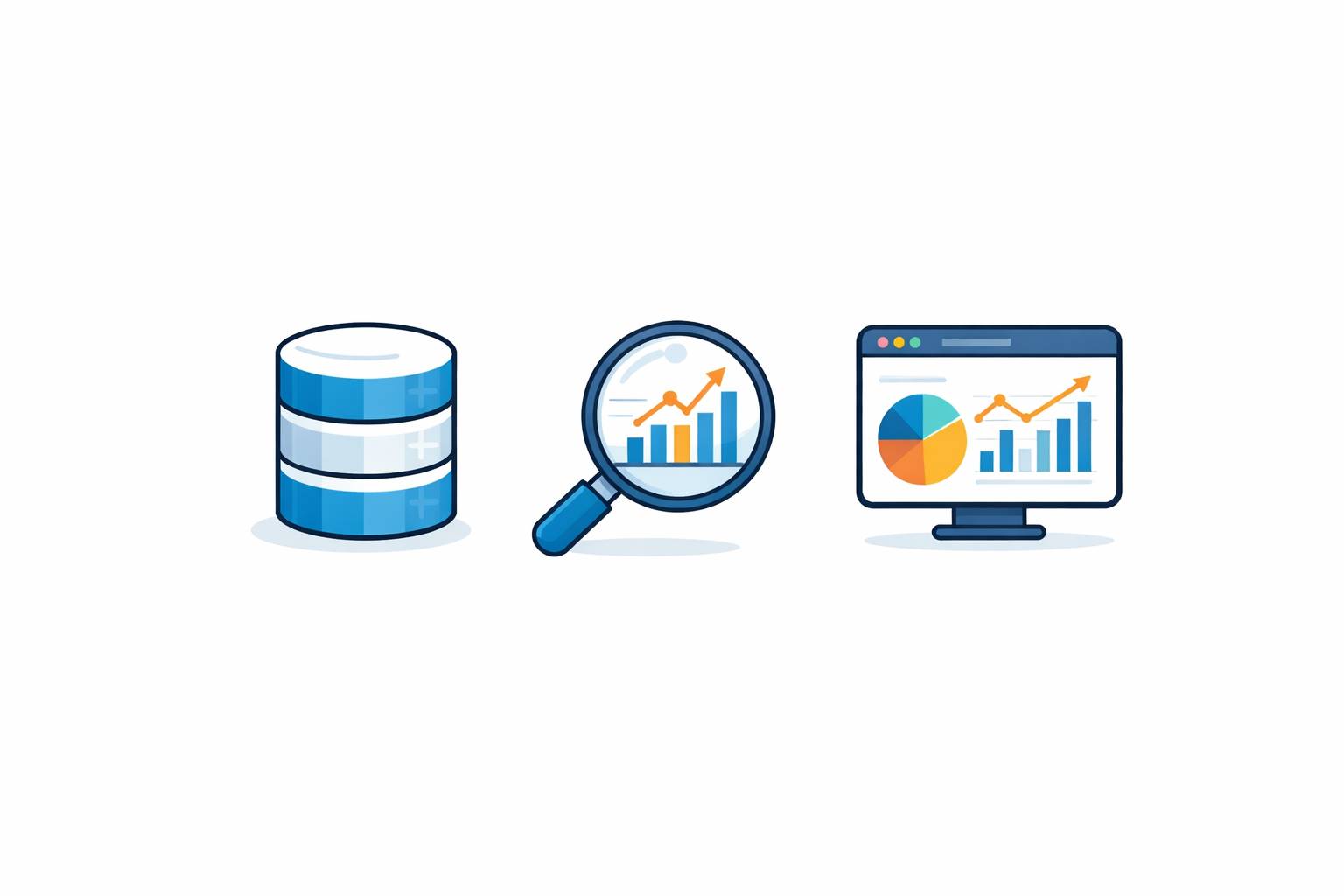

A vector database is a storage system optimized for indexing and searching high-dimensional numerical representations (embeddings) of text, images, or audio. Instead of matching exact keywords, it finds semantically similar items using approximate nearest-neighbor (ANN) algorithms like HNSW — making it the core retrieval engine behind every production RAG pipeline and semantic search application in 2026.
What Is a Vector Database? The 30-Second Answer
A traditional database answers one question: does a record matching these exact criteria exist? A vector database answers a fundamentally different one: which records are most similar to this?
That distinction matters because the data that drives modern AI — documents, images, audio, user behavior — cannot be searched by exact match. You cannot write a SQL WHERE clause that finds “articles about the same topic as this one.” But you can represent both documents as numerical vectors (embeddings) and measure the geometric distance between them. Documents that mean similar things end up close together in that high-dimensional space.
A vector database is the system that stores these embedding vectors, indexes them for fast retrieval, and returns the closest matches when you query it. If you have built or used a Retrieval-Augmented Generation system, a recommendation engine, or any semantic search interface — there was a vector database underneath it.
The market has grown fast. By 2026, major analyst estimates place the vector database market above $4 billion, driven by the explosion of RAG architectures and the rapid adoption of large language models across enterprises.
How Do Vector Databases Work? From Text to Search Results in 4 Steps
Every vector database workflow follows the same four-step pipeline, regardless of the vendor or use case:
Step 1: Generate Embeddings
An embedding model (a neural network trained to compress meaning into fixed-length arrays of floating-point numbers) converts your raw content — text, images, audio — into vectors. Common choices in 2026 include OpenAI’s text-embedding-3-large (3,072 dimensions), Cohere’s embed-v4, and open-source models like nomic-embed-text-v1.5 (768 dimensions). The vector’s dimensionality directly affects storage cost, query latency, and accuracy.
Step 2: Index and Store
The vector database stores each embedding alongside its metadata (document ID, source, category, timestamps — anything you want to filter on later). Critically, it builds an index — a data structure that makes approximate nearest-neighbor search fast. Without the index, every query would require comparing against every stored vector (brute-force), which is prohibitively slow at production scale. We cover the three most important indexing algorithms — HNSW, IVF, and PQ — in the section below.
Step 3: Embed the Query
When a user submits a search query (or an LLM needs context from a RAG pipeline), the same embedding model converts the query into a vector in the same dimensional space. This is a hard requirement: the query vector and the stored vectors must come from the same model, or the distance metrics become meaningless.
Step 4: Search and Retrieve
The database uses its index to find the k nearest neighbors — the stored vectors whose geometric distance to the query vector is smallest. You get back a ranked list of results, each with a similarity score. In a RAG pipeline, these retrieved chunks are then injected into the LLM prompt as context.
What Is the Difference Between a Vector Database and a Traditional Database?
The difference is not just technical — it reflects a fundamentally different approach to what “finding data” means. Here is a direct comparison:
| Criterion | Relational / NoSQL DB | Vector Database |
|---|---|---|
| Data model | Rows/columns, documents, key-value | High-dimensional vectors + metadata |
| Query type | Exact match, range, aggregation | Approximate nearest neighbor (ANN) |
| Search paradigm | Keyword / filter-based | Semantic similarity |
| Index structure | B-tree, hash, inverted index | HNSW, IVF, PQ, DiskANN |
| Best for | Structured data, transactions, ACID | Unstructured data, ML retrieval, RAG |
| Similarity metric | N/A (equality / comparison) | Cosine, Euclidean (L2), dot product |
| Result quality | Exact (deterministic) | Approximate (tunable recall vs. speed) |
A critical nuance for 2026: the line is blurring. PostgreSQL with pgvector and pgvectorscale now handles both traditional SQL queries and vector similarity search in a single system. MongoDB’s Atlas Vector Search does the same for document databases. For workloads under ~50 million vectors with moderate QPS requirements, a general-purpose database with vector extensions often eliminates the need for a dedicated vector database entirely.
Specialized databases like Qdrant and Milvus outperform extensions when you need: (a) sub-10ms p99 latency at billion-scale, (b) advanced multi-vector or multi-tenancy features, or (c) GPU-accelerated indexing. If your dataset has fewer than 10M vectors and you already run PostgreSQL — pgvector is the pragmatic first choice.
How Does Similarity Search Actually Work? The 3 Distance Metrics
When a vector database says “find similar items,” it measures the geometric distance between vectors. Three metrics dominate production systems:
Cosine similarity measures the angle between two vectors, ignoring their magnitude. A cosine similarity of 1.0 means the vectors point in the exact same direction — semantically identical. Most text embedding models produce normalized vectors, making cosine the default choice for NLP and document retrieval tasks.
Euclidean distance (L2) measures the straight-line distance between two points in vector space. It is sensitive to both direction and magnitude, which makes it useful when absolute differences matter — such as comparing image feature vectors from computer vision models.
Dot product (inner product) combines magnitude and direction. It is often the fastest to compute and is the metric of choice for large-scale recommendation systems where both the “what” and “how much” of similarity matter.
Choosing the wrong metric quietly degrades retrieval quality. If your embedding model normalizes its outputs (most text models do), cosine and dot product produce identical rankings — but L2 will not. Always check the model’s documentation.
What Are the 3 Indexing Algorithms Behind Fast Vector Search?
Without an index, a vector database must compare your query against every stored vector — a brute-force scan. At 10 million vectors with 1,536 dimensions, that requires ~60 billion floating-point operations per query. Indexing algorithms make this problem tractable by trading a small amount of accuracy (recall) for massive speed gains.
HNSW (Hierarchical Navigable Small World)
HNSW builds a multi-layer graph where each node is a vector and edges connect similar neighbors. Queries enter at the top layer (sparse, long-range connections) and progressively narrow down through denser layers. It delivers excellent recall (>99% is routine) with sub-millisecond latency and is the default algorithm in Qdrant, Weaviate, and pgvector. The trade-off is memory: HNSW indexes live entirely in RAM, and memory usage scales linearly with dataset size and the M (connections-per-node) parameter.
IVF (Inverted File Index)
IVF partitions the vector space into clusters (typically using k-means) and assigns each vector to its nearest cluster centroid. At query time, only the nprobe nearest clusters are searched instead of the entire dataset. Milvus uses IVF extensively. It consumes less memory than HNSW but requires careful tuning of the number of partitions and nprobe to avoid recall degradation.
PQ (Product Quantization)
PQ compresses vectors by splitting each into sub-vectors and quantizing them to codebook entries, dramatically reducing memory footprint — often by 8–32×. The cost is lower recall compared to HNSW. In practice, PQ is frequently combined with IVF (IVF-PQ) to handle datasets that exceed available RAM. If you are working with the kind of quantization used inside transformer models themselves, that is a different concept — see our deep dive on vector quantization for KV caches.
Start with HNSW unless your dataset exceeds available RAM. If it does, try IVF-PQ. If you need both low latency and disk-based storage, look at DiskANN (used by Microsoft Bing and supported in Milvus 2.4+).
Pinecone vs. Qdrant vs. Milvus vs. pgvector: Which One Should You Choose?
The vector database landscape in 2026 has consolidated around four major options, each optimized for a different use case. Here is the decision framework I recommend after testing each of them in production RAG pipelines:
| Database | Type | Best for | Pricing model | Max scale |
|---|---|---|---|---|
| Pinecone | Fully managed SaaS | Ship fast, zero ops overhead | Pay-per-use (serverless) or pods | Billions of vectors |
| Qdrant | Open-source + Cloud | Advanced filtering, cost control | Free (self-host) / managed cloud | Billions (distributed) |
| Milvus | Open-source | Billion-scale, GPU acceleration | Free (self-host) / Zilliz Cloud | 10B+ vectors |
| pgvector | PostgreSQL extension | No extra infra, hybrid queries | Free (runs on your Postgres) | ~50M vectors practical |
My take after testing these in real projects: If you are building a RAG system from scratch on a startup budget, start with pgvector or Qdrant’s free tier. Pinecone’s serverless pricing is attractive for prototyping but costs compound quickly at scale — a 5-million-vector index on Pinecone Serverless costs roughly $70–100/month, while the same workload on self-hosted Qdrant runs on a $20/month VPS. Milvus is engineering-heavy to deploy but unmatched for billion-scale workloads with GPU indexing.
How to Build a RAG Pipeline with a Vector Database (Working Code)
Theory is necessary but insufficient. Here is a minimal but production-ready RAG pipeline using Python, OpenAI embeddings, and Qdrant — the setup I recommend for most new projects in 2026.
Step 1: Install Dependencies
pip install qdrant-client openai sentence-transformersStep 2: Embed and Store Documents
from qdrant_client import QdrantClient
from qdrant_client.models import Distance, VectorParams, PointStruct
from openai import OpenAI
import uuid

# Initialize clients
oai = OpenAI()  # uses OPENAI_API_KEY env var
qd = QdrantClient(":memory:")  # local; use url="..." for production

# Create a collection
qd.create_collection(
    collection_name="knowledge_base",
    vectors_config=VectorParams(
        size=1536,  # text-embedding-3-small output dim
        distance=Distance.COSINE,
    ),
)

# Your documents (in production: chunked at 256-512 tokens)
docs = [
    "RAG combines retrieval with generation to ground LLM answers in facts.",
    "HNSW builds a multi-layer graph for fast approximate nearest neighbor search.",
    "The EU AI Act classifies high-risk AI systems and mandates transparency.",
    "Vector databases store embeddings and enable semantic similarity search.",
]

# Embed and upsert
for i, doc in enumerate(docs):
    resp = oai.embeddings.create(input=doc, model="text-embedding-3-small")
    vector = resp.data[0].embedding

    qd.upsert(
        collection_name="knowledge_base",
        points=[PointStruct(id=i, vector=vector, payload={"text": doc})],
    )
Step 3: Query and Retrieve
query = "How does semantic search work?"

# Embed query with the SAME model
q_resp = oai.embeddings.create(input=query, model="text-embedding-3-small")
q_vector = q_resp.data[0].embedding

# Search for top 3 nearest neighbors
results = qd.query_points(
    collection_name="knowledge_base",
    query=q_vector,
    limit=3,
)

# Build context for LLM
context = "\n".join([r.payload["text"] for r in results.points])

# Generate answer with retrieved context (RAG)
answer = oai.chat.completions.create(
    model="gpt-4o",
    messages=[
        {"role": "system", "content": f"Answer based on this context:\n{context}"},
        {"role": "user", "content": query},
    ],
)
print(answer.choices[0].message.content)
This 40-line script is a complete RAG pipeline. In production, you would add chunking (split documents into 256–512 token segments), metadata filtering (filter by date, source, category), hybrid search (combine vector similarity with BM25 keyword matching), and a re-ranker model to refine the top results before passing them to the LLM.
If you prefer to stay within PostgreSQL, replace Qdrant with pgvector. Install the extension (CREATE EXTENSION vector;), create a column of type vector(1536), and use ORDER BY embedding <=> query_vector LIMIT 3 for cosine distance search. Same pipeline, zero additional infrastructure.
The 2026 Shift: Vectors as a Data Type, Not a Database Category
If you follow the vector database space closely, you have probably noticed a major trend: vectors are becoming a feature of existing databases, not a reason to adopt a new one.
PostgreSQL’s pgvectorscale extension has demonstrated benchmark performance that matches or exceeds dedicated vector databases for moderate-scale workloads. MongoDB’s Atlas Vector Search, Oracle Database 23ai, and even SQLite (via sqlite-vec) all added native vector support in 2025–2026. AWS, Google Cloud, and Azure all offer managed vector search as part of their existing database services.
What does this mean in practice? For the majority of applications — those with fewer than 50 million vectors and modest QPS requirements — the best vector database may be the database you are already running. Adding a dedicated vector database introduces operational complexity (another system to deploy, monitor, back up, and secure) that is only justified at scale.
The dedicated vector databases (Pinecone, Qdrant, Milvus, Weaviate) still dominate three niches: billion-scale datasets with strict latency SLAs, workloads requiring GPU-accelerated indexing, and multi-tenant SaaS platforms that need advanced isolation and sharding. For everyone else, 2026 is the year that “just use pgvector” stopped being a compromise and started being the right answer.
This consolidation trend also matters for compliance. Under the EU AI Act, high-risk AI systems must maintain data provenance records — a requirement that is significantly easier to satisfy when your vectors, metadata, and transactional data live in a single database with ACID guarantees, rather than split across a vector store and a separate relational system.
Which Embedding Model Should You Use in 2026?
The quality of your vector database is only as good as the embeddings you put into it. A poorly chosen embedding model produces vectors that do not capture semantic similarity well, and no amount of indexing optimization can fix that. Here are the models I recommend based on use case:
For English text (general): OpenAI text-embedding-3-small (1,536 dims, $0.02/1M tokens) offers the best cost-accuracy trade-off. Upgrade to text-embedding-3-large (3,072 dims) only if your retrieval benchmarks show measurable improvement on your specific dataset.
For multilingual content: Cohere embed-v4 or the open-source multilingual-e5-large-instruct handle 100+ languages with strong cross-lingual retrieval. Critical for applications serving the EU market under the AI Act’s multilingual requirements.
For code and technical docs: Voyage AI’s voyage-code-3 or OpenAI’s text-embedding-3-large with the code-optimized prompt prefix. Context engineering — structuring how you present code to the embedding model — often matters more than model choice.
For cost-sensitive / self-hosted: nomic-embed-text-v1.5 (768 dims) or bge-m3 from BAAI run on a single GPU with excellent quality. Half the dimensions means half the storage cost — a significant factor at 100M+ vectors.
Your query vector and your stored vectors must come from the same model. If you switch embedding models, you must re-embed your entire dataset. Plan for this — it is the single most expensive migration in a vector database system.
FAQ
Vector databases are used for any application that requires semantic similarity search — finding items by meaning rather than exact keywords. The most common use cases in 2026 are RAG (Retrieval-Augmented Generation) pipelines for LLM-powered chatbots, semantic search engines, recommendation systems, image similarity search, anomaly detection, and deduplication. They are the retrieval backbone of most production AI applications.
Neither is universally better — they solve different problems. Traditional databases excel at structured data, transactions, and exact lookups. Vector databases excel at finding semantically similar items in unstructured data. In 2026, many teams use both: a relational database for transactional data and a vector database (or pgvector extension) for AI retrieval. The trend is toward convergence — PostgreSQL with pgvector can handle both.
Yes. The pgvector extension adds vector column types and similarity search operators to PostgreSQL. For datasets under ~50 million vectors with moderate query throughput, pgvector eliminates the need for a separate vector database. The pgvectorscale extension further improves performance with streaming DiskANN-style indexing. PostgreSQL with pgvector is used in production by OpenAI and many enterprise teams.
An embedding is a specific type of vector produced by a machine learning model that captures semantic meaning. All embeddings are vectors (arrays of numbers), but not all vectors are embeddings. In the context of vector databases, the terms are often used interchangeably because the vectors stored are almost always embeddings from models like OpenAI’s text-embedding-3 or Cohere’s embed-v4.
HNSW (Hierarchical Navigable Small World) is the most widely used indexing algorithm in vector databases. It builds a multi-layer graph that enables approximate nearest-neighbor search in logarithmic time instead of linear time. This is what makes it possible to search millions of vectors in under a millisecond. HNSW offers excellent recall (typically >99%) but requires the entire index to fit in RAM, which makes it expensive at very large scale.
Costs vary widely. pgvector is free (runs on your existing PostgreSQL). Qdrant and Milvus are free to self-host. Pinecone Serverless charges based on reads, writes, and storage — a 5M vector index costs roughly $70–100/month. Pinecone pods start around $70/month. For self-hosted Qdrant on a 4-core VPS, expect ~$20–40/month for up to 10M vectors. The biggest hidden cost is embedding generation: embedding 1M documents with OpenAI’s text-embedding-3-small costs approximately $20.
The EU AI Act does not regulate vector databases directly. However, it imposes data governance requirements on high-risk AI systems — including data provenance, traceability, and quality documentation. If your vector database stores embeddings that feed a high-risk AI system (medical, legal, hiring), you need audit trails for what data was embedded, when, and from which sources. Using a single database with ACID guarantees (like PostgreSQL + pgvector) simplifies compliance compared to a split architecture.
Bibliography & Further Reading
Primary sources:
Malkov, Y. & Yashunin, D. — “Efficient and Robust Approximate Nearest Neighbor using Hierarchical Navigable Small World Graphs” (arXiv, 2016/2018)
Qdrant — Official Documentation (2026)
Pinecone — Documentation & API Reference (2026)
Milvus — Official Documentation (2026)
pgvector — PostgreSQL Vector Extension (GitHub)
EU AI Act — Regulation (EU) 2024/1689 (EUR-Lex)
OpenAI — Embeddings API Documentation (2026)
Related articles on DecodeTheFuture.org:
RAG Explained: Retrieval-Augmented Generation
What Is an LLM? Large Language Models Explained
What Is a Transformer?
TurboQuant: Vector Quantization for KV Caches
EU AI Act Explained
What Is Context Engineering?
Jak działa RAG? 5 kroków architektury (PL)
[…] status quo — a 15-year-old data pipeline — is “known.” The alternative — a modern vector database architecture — is “unknown.” The bias systematically overweights the risks of change […]