


Last updated: October 11, 2026 · Tested with @anthropic-ai/claude-agent-sdk 0.3.296 (Claude Code 2.1.296); Python claude-agent-sdk 0.2.165 is the current PyPI release
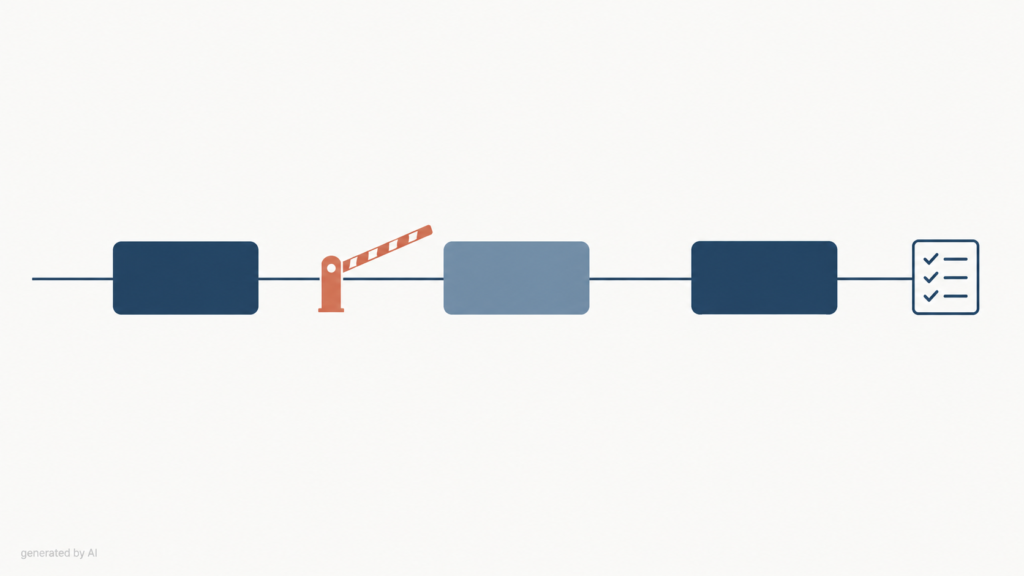
Hooks in the Claude Agent SDK are callback functions you pass in options.hooks that run at fixed points of the agent loop. A PreToolUse hook runs before a tool call and can deny it, rewrite its input with updatedInput, or approve it; a PostToolUse hook runs after a successful call and can log the result or add context for the model. Hooks run before every permission rule, so a hook deny holds even with allowedTools or bypassPermissions, but in our test a hook that throws an exception let the tool run, so wrap policy hooks to fail closed.
Most hook tutorials stop at “return permissionDecision: 'deny' to block rm -rf“. That is the easy part. The parts that decide whether an agent is safe in production are less obvious: what happens when your hook crashes, where hooks sit relative to allowedTools and canUseTool, why a blocked call never reaches PostToolUseFailure, and how to stop a retrying model from charging a card twice.
We ran the hooks below against the live SDK on October 11, 2026, with Claude Haiku 5.5 as the model (two runs, about half a cent each). Where this guide says “in our test”, the log output is shown. If you are new to the SDK itself, start with our step-by-step tutorial on how to build an AI agent with the Claude Agent SDK, then come back here.
What are hooks in the Claude Agent SDK?
Hooks are your code, running inside the agent loop at named events. The SDK fires an event (a tool is about to run, a tool returned, a subagent stopped, the session ended), collects every hook registered for that event, filters them by matcher, runs the matching callbacks and applies what they return. The same mechanism powers shell-command hooks in Claude Code’s settings.json; in the SDK you write them as TypeScript or Python functions instead.
The SDK documents more than 30 hook events. Most are TypeScript-only. These are the ones you will use most for tool control:
| Event | Python | TypeScript | Fires when | Typical use |
|---|---|---|---|---|
PreToolUse | Yes | Yes | Claude has requested a tool call, before it runs | Block, rewrite or auto-approve calls |
PostToolUse | Yes | Yes | A tool call returned successfully | Audit log, add context, replace output |
PostToolUseFailure | Yes | Yes | A tool call failed while executing | Log errors, alert |
PostToolBatch | No | Yes | A whole batch of tool calls resolved, before the next model call | Inject one note for the batch |
PermissionRequest | Yes | Yes | A call needs a permission decision | Custom approval flow |
Stop / SubagentStop | Yes | Yes | The agent or a subagent stops | Flush logs, aggregate results |
SessionStart / SessionEnd | No (settings hooks only) | Yes | Session begins or ends | Telemetry setup and cleanup |
UserPromptSubmit | Yes | Yes | A prompt is submitted | Inject context, screen prompts |
Source: Agent SDK hooks documentation, checked October 11, 2026. If you build in Python and need SessionStart, define it as a shell hook in .claude/settings.json and load it with setting_sources=["project"].
How do you register a PreToolUse hook in TypeScript?
Pass an object keyed by event name in options.hooks; each value is a list of matchers, and each matcher holds an array of callbacks. A callback receives three arguments: the event input, the tool use ID, and a context object whose signal is an AbortSignal that fires when the hook times out.
import { query, type HookCallback, type PreToolUseHookInput } from "@anthropic-ai/claude-agent-sdk";

const logBash: HookCallback = async (input, toolUseID, { signal }) => {
  const pre = input as PreToolUseHookInput;
  const { command } = pre.tool_input as { command?: string };
  console.log(`[PreToolUse] ${pre.tool_name} ${toolUseID}: ${command}`);
  return {}; // empty object = no opinion, normal permission flow continues
};

for await (const message of query({
  prompt: "List the files in this folder and count them",
  options: {
    hooks: {
      PreToolUse: [{ matcher: "Bash", hooks: [logBash], timeout: 30 }],
    },
  },
})) {
  if (message.type === "result") console.log(message.result);
}
Three details trip people up. Event names are case-sensitive (PreToolUse, not preToolUse). tool_input is typed as unknown, so you cast it per tool. And timeout is in seconds and belongs to the matcher, not to the callback.
What is the difference between PreToolUse and PostToolUse?
PreToolUse decides whether and how a call runs; PostToolUse reacts to a call that already ran. Only PreToolUse can stop a tool. PostToolUse cannot undo a file write or a payment, it can only record it, tell the model something about it, or replace what the model sees.
| PreToolUse | PostToolUse | |
|---|---|---|
| Runs | Before the tool executes | After a successful execution |
| Input fields | tool_name, tool_input, tool_use_id, permission_mode, session_id, cwd | Same, plus tool_response and duration_ms |
| Can block the call | Yes: permissionDecision: "deny" | No |
| Can change the call | Yes: updatedInput | No (can replace the output with updatedToolOutput) |
| Can approve | "allow", "ask", or "defer" to pause the call | No |
| Talks to the model | Through permissionDecisionReason on deny | Through additionalContext |
Every hook can also return two top-level fields: systemMessage, which is shown to the user and not the model, and continue (continue_ in Python), which can stop the agent after the hook.
How do you block a dangerous Bash command?
Return permissionDecision: "deny" inside hookSpecificOutput from a PreToolUse hook matched to Bash. The permissionDecisionReason goes back to Claude as the tool result, so write it as an instruction the model can act on, not a bare “denied”.
import type { HookCallback, PreToolUseHookInput } from "@anthropic-ai/claude-agent-sdk";

const BLOCKED: RegExp[] = [
  /\brm\s+-[a-z]*r/i,            // recursive deletes
  /\bgit\s+push\b.*--force/,      // force pushes
  /\b(curl|wget)\b.*\|\s*(ba)?sh/, // pipe-to-shell installs
  /\bmkfs\b|\bdd\s+if=/,          // disk-level writes
];

export const bashGuard: HookCallback = async (input) => {
  const pre = input as PreToolUseHookInput;
  const command = String((pre.tool_input as { command?: unknown })?.command ?? "");
  const hit = BLOCKED.find((re) => re.test(command));
  if (!hit) return {};
  return {
    systemMessage: `Blocked a risky shell command: ${command.slice(0, 80)}`,
    hookSpecificOutput: {
      hookEventName: "PreToolUse",
      permissionDecision: "deny",
      permissionDecisionReason:
        "This command is blocked by policy. Do not retry it in another form; ask the user instead.",
    },
  };
};
In our test, Claude asked to run echo hello and rm -rf ./scratch-dir. The second call never ran. The model received the tool result PreToolUse:Bash hook error: rm -rf is blocked by policy hook with is_error: true, and its final answer said the command “was blocked by a PreToolUse policy hook”.
/bin/rm, find -delete, a Python one-liner or a script it writes first. Use the hook to stop obvious mistakes and to log intent; enforce real limits with an allowlist of commands, a container or VM without production credentials, and filesystem permissions. Our AI agent security guide covers the layers.What happens if a hook throws an error?
In our test, the tool ran anyway: an exception inside a PreToolUse hook did not block the call. We registered a hook that throws new Error("policy service unreachable") whenever the command contains date, then asked Claude to run date. This is the log:
[+4629ms] Pre "date" toolu_01RqdXayQrerXiFoEtZJd6MK      <- hook throws here
[+4732ms] Post toolu_01RqdXayQrerXiFoEtZJd6MK {"stdout":"Sun Oct 11 00:40:22 2026", ...}
[+4735ms] tool_result toolu_01RqdXayQrerXiFoEtZJd6MK err= false "Sun Oct 11 00:40:22 2026"
The command executed, PostToolUse fired, and Claude reported the date. Nothing in the message stream told the model or our code that a policy check had failed. This matches how Claude Code treats failing shell hooks: its hooks reference calls any failure other than an explicit block a “non-blocking error”, after which “the action goes ahead” unless you set onFailure: "block". For a logging hook that is the right default. For a security hook it is the wrong one, because an outage in your policy service silently turns into “allow everything”.
The fix is a small wrapper that converts any exception into a deny:
import type { HookCallback } from "@anthropic-ai/claude-agent-sdk";

export const failClosed = (name: string, fn: HookCallback): HookCallback =>
  async (input, toolUseID, ctx) => {
    try {
      return await fn(input, toolUseID, ctx);
    } catch (err) {
      console.error(`[hook:${name}] crashed, denying ${toolUseID}`, err);
      return {
        hookSpecificOutput: {
          hookEventName: "PreToolUse",
          permissionDecision: "deny",
          permissionDecisionReason: `Safety check "${name}" is unavailable, so this call was blocked. Tell the user.`,
        },
      };
    }
  };

// usage
// PreToolUse: [{ matcher: "Bash", hooks: [failClosed("bash-guard", bashGuard)], timeout: 10 }]
Timeouts behave differently from exceptions. According to the SDK docs, when a PreToolUse callback exceeds its timeout, Claude Code does not run the tool, Claude receives a tool result saying the hook did not respond in time, and the turn continues. The default is 600 seconds for most events, which is far too long for a policy check in an interactive agent; set an explicit timeout on security matchers. Before Claude Code 2.1.210 a timeout was reported as a user rejection, so pin your version if you depend on this behaviour.
How do you rewrite tool input with updatedInput?
Return a new tool_input object as updatedInput inside hookSpecificOutput. Pair it with permissionDecision: "allow" to auto-approve the rewritten call, with "ask" to show it to the user, or omit the decision so the rewritten call goes through normal permission checks. With "defer" the new input is ignored. Always return a copy instead of mutating the original object.
import path from "node:path";
import type { HookCallback, PreToolUseHookInput } from "@anthropic-ai/claude-agent-sdk";

const SANDBOX = path.resolve("./sandbox");

export const sandboxWrites: HookCallback = async (input) => {
  const pre = input as PreToolUseHookInput;
  const toolInput = pre.tool_input as { file_path?: string };
  if (!toolInput.file_path) return {};
  const target = path.join(SANDBOX, path.basename(toolInput.file_path));
  return {
    hookSpecificOutput: {
      hookEventName: "PreToolUse",
      permissionDecision: "allow",
      updatedInput: { ...toolInput, file_path: target },
    },
  };
};
// PreToolUse: [{ matcher: "Write|Edit", hooks: [sandboxWrites] }]
In our test we appended && echo '[audited]' to every echo command without returning a decision. The rewritten command ran, and PostToolUse saw "stdout":"hello\n[audited]", which confirms that updatedInput applies even when permissionDecision is omitted. Use this to normalise paths, add --dry-run flags, or inject a tenant ID into an MCP call; do not use it to hide what the agent is doing from the user.
Where do hooks sit in the permission order?
Hooks run first, before deny rules, ask rules, the permission mode, allow rules and your canUseTool callback. The SDK permissions page lists the order:
- Hooks. A hook can deny the call or pass it on.
- Deny rules from
disallowedToolsand settings. They block even inbypassPermissions. - Ask rules from settings, which send the call to
canUseTool. - Permission mode, for example
bypassPermissionsoracceptEdits. - Allow rules from
allowedToolsand settings. canUseTool, only if nothing above resolved the call.
Two consequences matter in practice. First, a hook deny wins over everything: in our test, Bash was in allowedTools and the mode was dontAsk, and the hook still blocked rm -rf. Second, the reverse is not true: a hook that returns "allow" does not skip deny and ask rules, which are evaluated regardless. And a checker you put in canUseTool never sees calls that an allow rule or a permissive mode already approved; the SDK even emits a CLAUDE_SDK_CAN_USE_TOOL_SHADOWED warning in TypeScript when it detects that setup. If a check must run on every call, it belongs in a PreToolUse hook.
When several hooks match the same call, they run in parallel and the most restrictive answer wins: deny beats defer, which beats ask, which beats allow. Because completion order is not deterministic, never write a hook that assumes another one already ran.
How do you build an audit log with PostToolUse and tool_use_id?
Record the call in PreToolUse, close the record in PostToolUse or PostToolUseFailure, and join them on tool_use_id. In our test the ID was identical in both events (toolu_018M8r1F6G3S1o6naX8i6pMk in Pre, Post and the tool result), and PostToolUse carried duration_ms (961 ms for an echo).
The trap: a call denied by a PreToolUse hook does not fire PostToolUseFailure. In our run, the blocked rm -rf produced an error tool result but no failure event. An audit log built only on the two post-events therefore misses exactly the calls a security reviewer cares about. Log the decision where you make it, and treat records that never close as denied, timed out or interrupted.
import { appendFileSync } from "node:fs";
import type {
  HookCallback, PreToolUseHookInput, PostToolUseHookInput, PostToolUseFailureHookInput,
} from "@anthropic-ai/claude-agent-sdk";

const open = new Map<string, { tool: string; startedAt: number }>();
const write = (row: object) =>
  appendFileSync("agent-audit.jsonl", JSON.stringify({ ts: new Date().toISOString(), ...row }) + "\n");

export const auditPre: HookCallback = async (input) => {
  const e = input as PreToolUseHookInput;
  open.set(e.tool_use_id, { tool: e.tool_name, startedAt: Date.now() });
  write({ event: "requested", session: e.session_id, id: e.tool_use_id, tool: e.tool_name, input: e.tool_input });
  return {};
};

export const auditPost: HookCallback = async (input) => {
  const e = input as PostToolUseHookInput;
  open.delete(e.tool_use_id);
  write({ event: "succeeded", id: e.tool_use_id, tool: e.tool_name, duration_ms: e.duration_ms });
  return {};
};

export const auditFail: HookCallback = async (input) => {
  const e = input as PostToolUseFailureHookInput;
  open.delete(e.tool_use_id);
  write({ event: "failed", id: e.tool_use_id, tool: e.tool_name, error: e.error });
  return {};
};

export const auditStop: HookCallback = async () => {
  for (const [id, rec] of open) write({ event: "never_completed", id, tool: rec.tool }); // denied, timed out or interrupted
  open.clear();
  return {};
};

// hooks: {
//   PreToolUse:         [{ hooks: [auditPre] }],   // no matcher: every tool
//   PostToolUse:        [{ hooks: [auditPost] }],
//   PostToolUseFailure: [{ hooks: [auditFail] }],
//   Stop:               [{ hooks: [auditStop] }],
// }
Register the audit hooks without a matcher so they see every tool, including MCP tools. Keep them fast and side-effect-only; if the write goes over the network, return { async: true } so the agent does not wait (async outputs cannot block or modify anything, which is fine for logging). Do not store raw tool_input blindly: it can contain secrets the model read from a .env file. For what to do with these logs later, see AI agent observability metrics.
Can hooks make agent tool calls idempotent?
Hooks can stop most accidental duplicates, but they cannot give you exactly-once execution. When a call fails or times out, the model often retries it, and the retry gets a new tool_use_id. Deduplicating on the ID therefore does nothing. Deduplicate on the content of the call instead: hash the tool name and a canonical form of its input, and deny repeats of side-effecting tools within a session.
import { createHash } from "node:crypto";
import type { HookCallback, PreToolUseHookInput } from "@anthropic-ai/claude-agent-sdk";

const seen = new Map<string, string>(); // key -> first tool_use_id
const canonical = (v: unknown): string =>
  JSON.stringify(v, (_k, x) =>
    x && typeof x === "object" && !Array.isArray(x)
      ? Object.fromEntries(Object.entries(x).sort(([a], [b]) => a.localeCompare(b)))
      : x);

export const dedupeSideEffects: HookCallback = async (input) => {
  const e = input as PreToolUseHookInput;
  const key = createHash("sha256").update(e.session_id + e.tool_name + canonical(e.tool_input)).digest("hex");
  const first = seen.get(key);
  if (!first) { seen.set(key, e.tool_use_id); return {}; }
  return {
    hookSpecificOutput: {
      hookEventName: "PreToolUse",
      permissionDecision: "deny",
      permissionDecisionReason: `An identical call already ran in this session (${first}). Check its result instead of repeating it.`,
    },
  };
};
// PreToolUse: [{ matcher: "^mcp__payments__|^mcp__email__", hooks: [failClosed("dedupe", dedupeSideEffects)] }]
This has a hole you cannot close inside the agent: if the process crashes after the payment API accepted the request but before anything was recorded, the next run has no memory of it. Real exactly-once semantics need an idempotency key that the downstream system stores, such as Stripe’s Idempotency-Key header. A good pattern is to derive that key from the same hash and pass it through updatedInput, so a retry after a crash is rejected by the API itself. Keep the dedupe map in Redis or a database rather than memory if your sessions resume across processes.
How do you match MCP tools and specific files?
Matchers test the tool name only, never arguments. Built-in tools use plain names (Bash, Read, Write, Edit, Glob, Grep, WebFetch, Agent). MCP tools are named mcp__<server>__<tool>, where the server part is the key in your mcpServers config. A pipe list such as "Write|Edit|NotebookEdit" matches exact names; "^mcp__" works as a regular expression for all MCP tools; no matcher means every tool.
To act on a specific path, match the tool and check tool_input.file_path in the callback, for example to protect .env, .git/ or infrastructure folders. If you need the MCP server’s identity rather than its name, newer SDK versions (0.3.274 and later) add an mcp_server field to tool hook inputs.
How do you add context or clean up tool output after a call?
Return additionalContext from PostToolUse to append a note the model will read, or updatedToolOutput to replace what it sees. In our second test, a PostToolUse hook returned an “audit note” as additionalContext; Claude quoted it word for word in its final answer, so treat this channel as part of your prompt. Good uses are short, factual and tied to the tool result: “this file is generated, edit the template instead”, “tests failed: 3 of 120, see output above”.
updatedToolOutput works for any tool in both SDKs and is the place for redaction: strip API keys, tokens or personal data from a Read or database result before they enter the context window, where they could leak into logs, summaries or a later tool call. Redaction here is a complement to keeping secrets out of the agent’s reach, not a replacement for it.
How do you write the same hooks in Python?
Python uses HookMatcher objects and async functions with the signature (input_data, tool_use_id, context); the output format is the same JSON. Two differences: continue is spelled continue_ and async is async_, because both are reserved words, and many events, including SessionStart and PostToolBatch, are TypeScript-only.
import asyncio, re
from claude_agent_sdk import query, ClaudeAgentOptions, HookMatcher

BLOCKED = re.compile(r"\brm\s+-[a-z]*r|\bgit\s+push\b.*--force", re.I)

async def bash_guard(input_data, tool_use_id, context):
    try:
        command = input_data["tool_input"].get("command", "")
        if BLOCKED.search(command):
            return {"hookSpecificOutput": {
                "hookEventName": "PreToolUse",
                "permissionDecision": "deny",
                "permissionDecisionReason": "Blocked by policy. Ask the user instead of retrying.",
            }}
        return {}
    except Exception as err:  # fail closed
        return {"hookSpecificOutput": {
            "hookEventName": "PreToolUse",
            "permissionDecision": "deny",
            "permissionDecisionReason": f"Safety check failed ({err}); call blocked.",
        }}

async def log_result(input_data, tool_use_id, context):
    print(f"[PostToolUse] {input_data['tool_name']} {tool_use_id}")
    return {}

options = ClaudeAgentOptions(hooks={
    "PreToolUse": [HookMatcher(matcher="Bash", hooks=[bash_guard], timeout=10)],
    "PostToolUse": [HookMatcher(hooks=[log_result])],
})

async def main():
    async for message in query(prompt="Clean up the build folder", options=options):
        print(message)

asyncio.run(main())
Why is my hook not firing?
In most cases the event name, the matcher or the settings source is wrong. Check these in order:
- The event key is spelled exactly (
PostToolUse, notpostToolUseorpost_tool_use). - The matcher matches the tool name, not a path:
"Write"works,"*.env"does not. - MCP tool names include the server key:
mcp__github__create_issue, notcreate_issue. Stopignores matchers entirely;NotificationandSubagentStopmatch other fields.- The session hit
maxTurnsand ended before the hook could run. - For shell hooks from
settings.json: you passedsettingSourceswithout the source that holds them. PassingsettingSources: [], as we did in our tests, disables them completely. - You expected PostToolUseFailure for a denied call. It does not fire; see the audit section above.
Should you use SDK hooks or settings.json shell hooks?
Use SDK callback hooks for logic that belongs to your application and shell hooks for rules that belong to a repository or a team. Callbacks run in your process, share its state (a database connection, a policy client, the dedupe map above) and can be unit-tested like any other function. Shell hooks in .claude/settings.json are commands Claude Code runs on events; they travel with the repo, apply to people using Claude Code interactively as well as to your SDK app (if you load that settings source), and are easy for a security team to review. Both use the same JSON output format, so a policy can start as a shell script and move into code later.
What does this mean in practice?
Hooks are the only control point in the Agent SDK that sees every tool call before it runs, regardless of modes and allow rules. That makes them the right place for policy, and also the place where a careless default hurts most. Our tests point to a short checklist for any agent that touches real systems:
- Wrap every security hook to fail closed. An exception lets the call through by default.
- Set explicit timeouts on policy matchers (5 to 30 seconds), not the 600-second default.
- Log decisions in PreToolUse and close records in both post-events; flag records that never close.
- Deduplicate side effects on content, not on
tool_use_id, and pass an idempotency key downstream. - Keep
canUseToolfor human approval only; anything that must always run goes in a hook. - Pin the SDK version and re-run a small hook test like ours on every upgrade; hook semantics have changed several times in 2026.
Before shipping, run the agent through the scenarios in our AI agent testing checklist, including a run where your policy service is down. If the agent still completes destructive actions in that run, your hooks are decorative.
FAQ
What is a PreToolUse hook in the Claude Agent SDK?
A callback that runs after Claude requests a tool call and before the tool executes. It receives the tool name and input and can deny the call, rewrite its input with updatedInput, approve it, ask the user, or defer it.
How do I block a tool call with a hook?
Return hookSpecificOutput with hookEventName “PreToolUse”, permissionDecision “deny” and a permissionDecisionReason. The reason is sent to Claude as the tool result, so phrase it as guidance the model can follow.
Does a hook deny work with bypassPermissions or allowedTools?
Yes. Hooks are evaluated before deny rules, ask rules, the permission mode and allow rules, so a deny from a PreToolUse hook blocks the call even when the tool is in allowedTools or the session runs in bypassPermissions. A hook allow, however, does not override deny or ask rules.
What happens if my hook throws an exception?
In our test with SDK 0.3.296, the tool call still ran and the exception was not surfaced to the model. Wrap security hooks in try/catch and return a deny on error so they fail closed.
How do I connect PreToolUse and PostToolUse events?
Use tool_use_id. It is the same in both events and in the tool result for one call. PostToolUse also includes duration_ms and tool_response.
Does a denied tool call trigger PostToolUseFailure?
No, not in our test. PostToolUseFailure covers tools that fail while executing; a call blocked by a PreToolUse hook never executes. Log denials inside the PreToolUse hook.
What is the default hook timeout?
600 seconds for most events, 30 seconds for UserPromptSubmit and model-switch events, and 10 seconds for MessageDisplay. You can set a timeout in seconds on each matcher. A PreToolUse hook that times out prevents the tool from running.
Sources and further reading
- Anthropic — Intercept and control agent behavior with hooks (Agent SDK) (accessed October 11, 2026)
- Anthropic — Configure permissions (Agent SDK): permission evaluation order
- Anthropic — Agent SDK reference, TypeScript (HookCallback, PreToolUseHookInput, PostToolUseHookInput)
- Anthropic — Agent SDK reference, Python (HookMatcher)
- Anthropic — Claude Code hooks reference (exit codes, non-blocking errors, onFailure)
- npm — @anthropic-ai/claude-agent-sdk and PyPI — claude-agent-sdk
- Stripe API — Idempotent requests
- OWASP — Top 10 for LLM Applications (excessive agency, sensitive information disclosure)